Guidelines for Participants: Your Guide to Sharing Subscriptions Easily and Securely
Welcome to SharyDuck – a platform where premium services become affordable, and subscription sharing is secure and automated.
- Save money by splitting subscription costs with others through Standard or instant Turbo membership plans.
- Secure payments via Stripe with a 30-day protection period to ensure service works before funds are released to organizers.
- Effortless access with auto-renewal, real-time notifications, and a streamlined interface for both new and active groups.
In this guide, we’ll show you how to join the family in just a few minutes and start saving on subscriptions.
🚀 Two Ways to Save: Standard vs Turbo
SharyDuck offers two membership options—Standard and Turbo. Choose the one that suits you best.
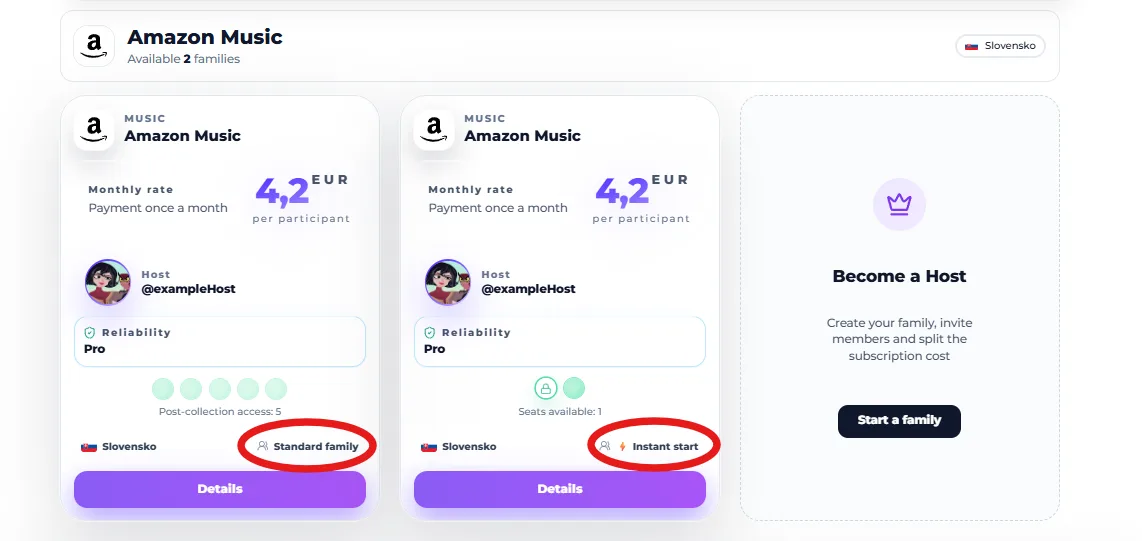
👥 Standard Mode
This is a great way to start a new family. You reserve a spot and wait for other participants to join.
- How it works: You pay your share, but the payment isn’t processed immediately; instead, it’s held on your card.
- Gathering: The group has a deadline to form (typically 72 hours).
- Result: As soon as all spots are filled, payment is processed automatically, and the family organizer (subscription holder) sends the access details. If the group doesn’t form in time, the funds are immediately released and remain in your account.
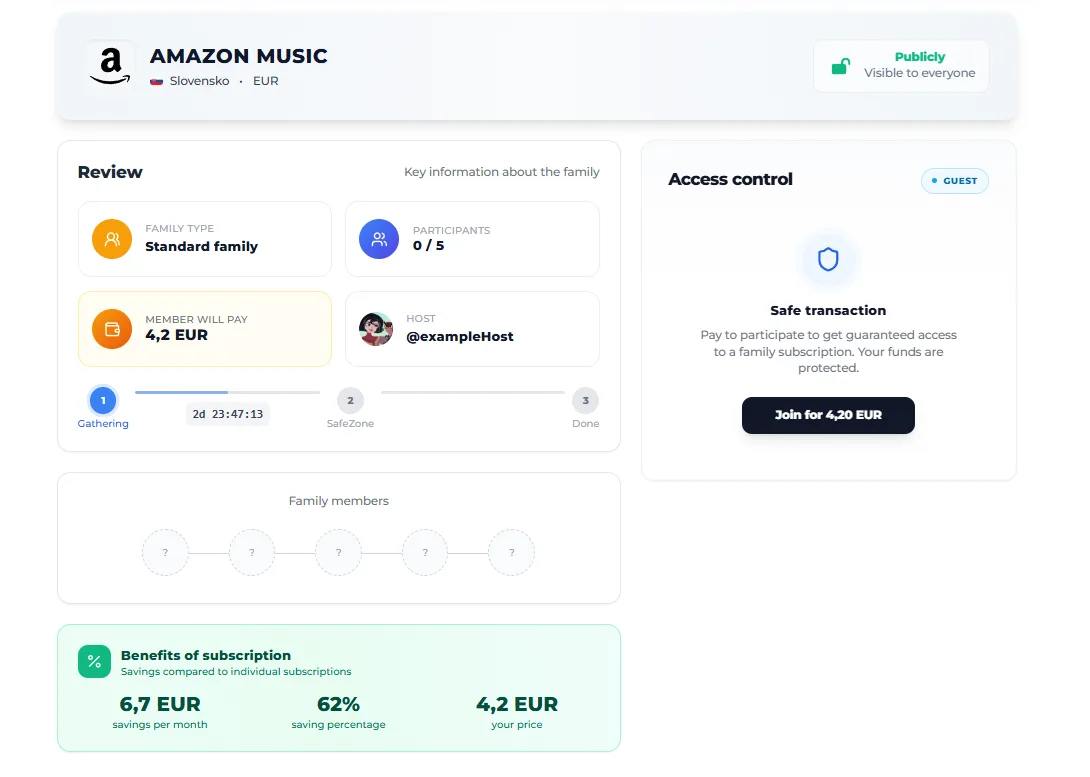
⚡ Turbo Mode
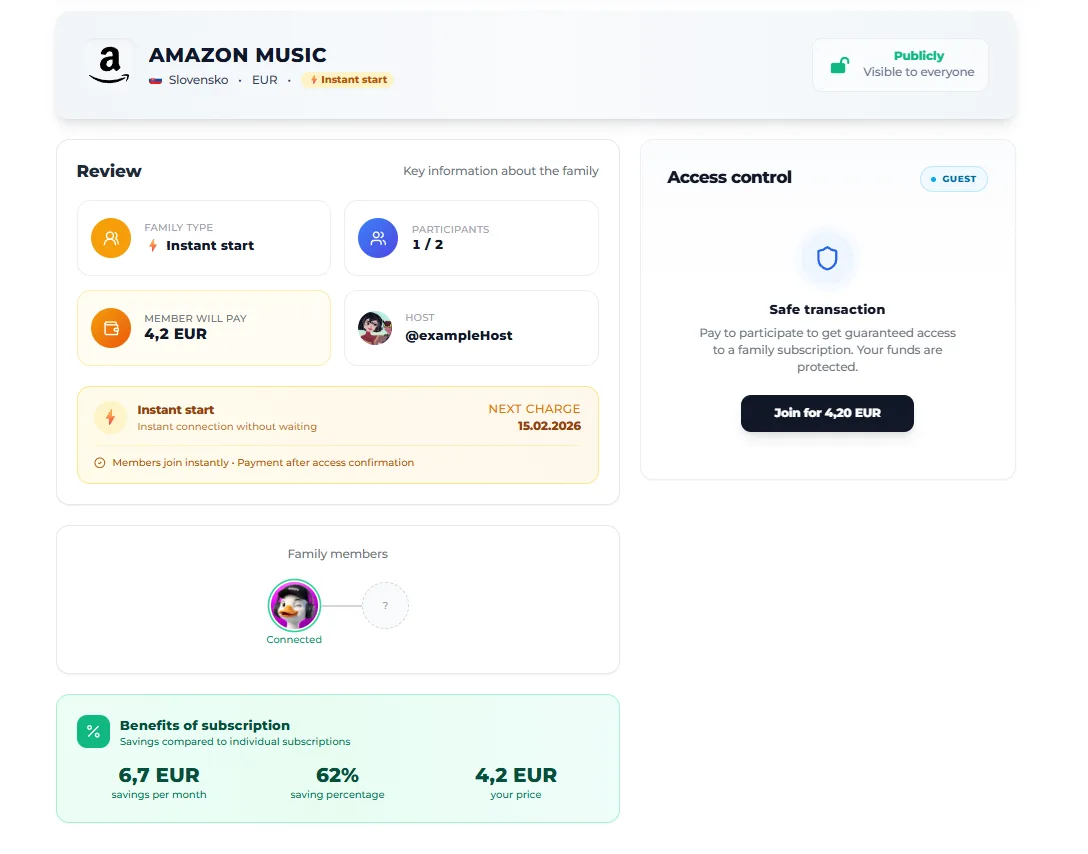
For those who prefer instant access. These groups are either already active or ready to start immediately.
- How it works: You join and gain immediate access (or receive instructions from the organizer as soon as possible).
- Advantage: No waiting. Your participation is confirmed instantly.
🛠 How to join: Step-by-step guide
Step 1: Choose the perfect plan
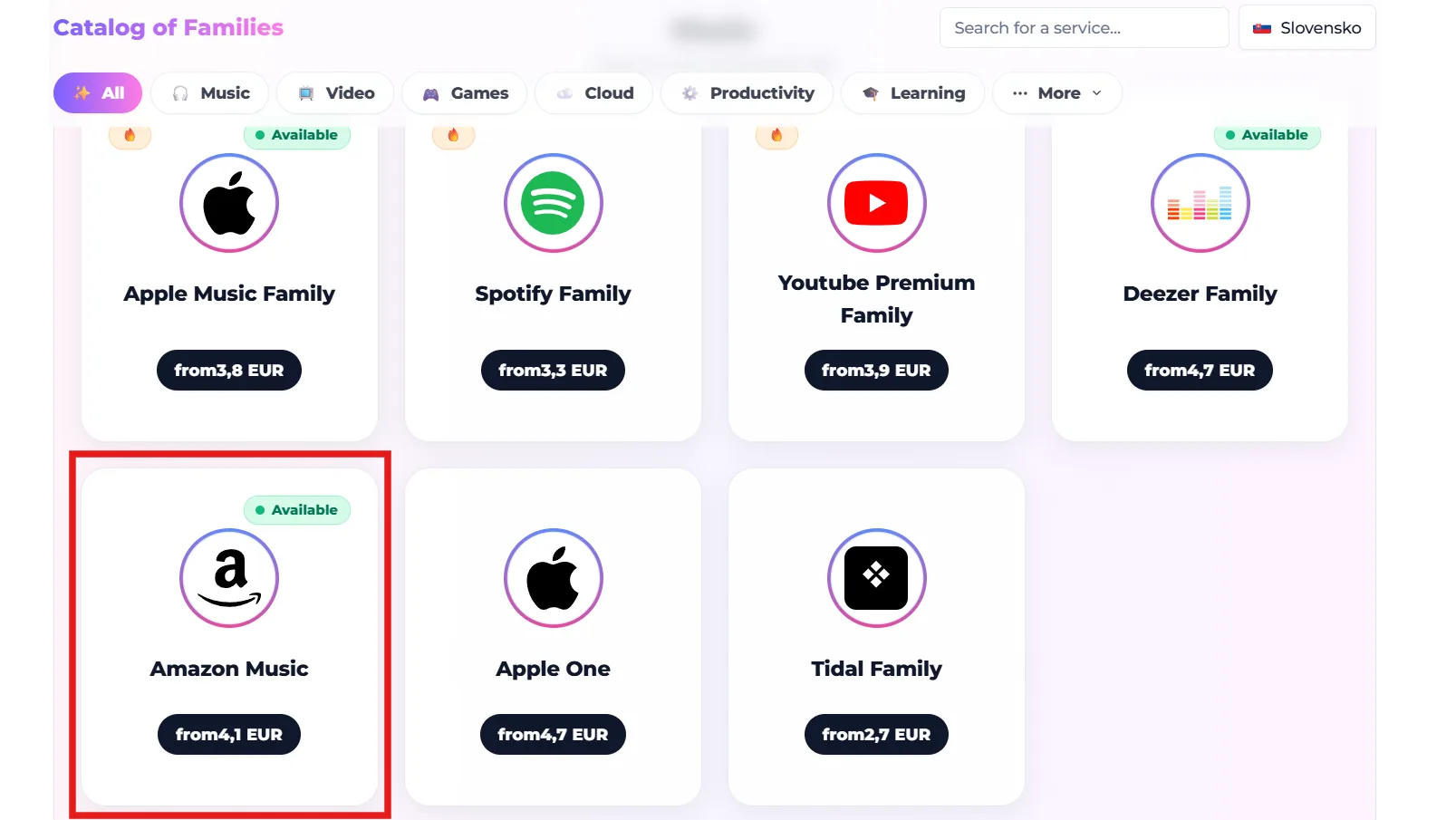
Go to the Discover section, select the service you want (e.g. YouTube Premium or Spotify) and review the available offers. Ensure the service’s country of origin and pricing align with your needs.
Step 2: Book your place
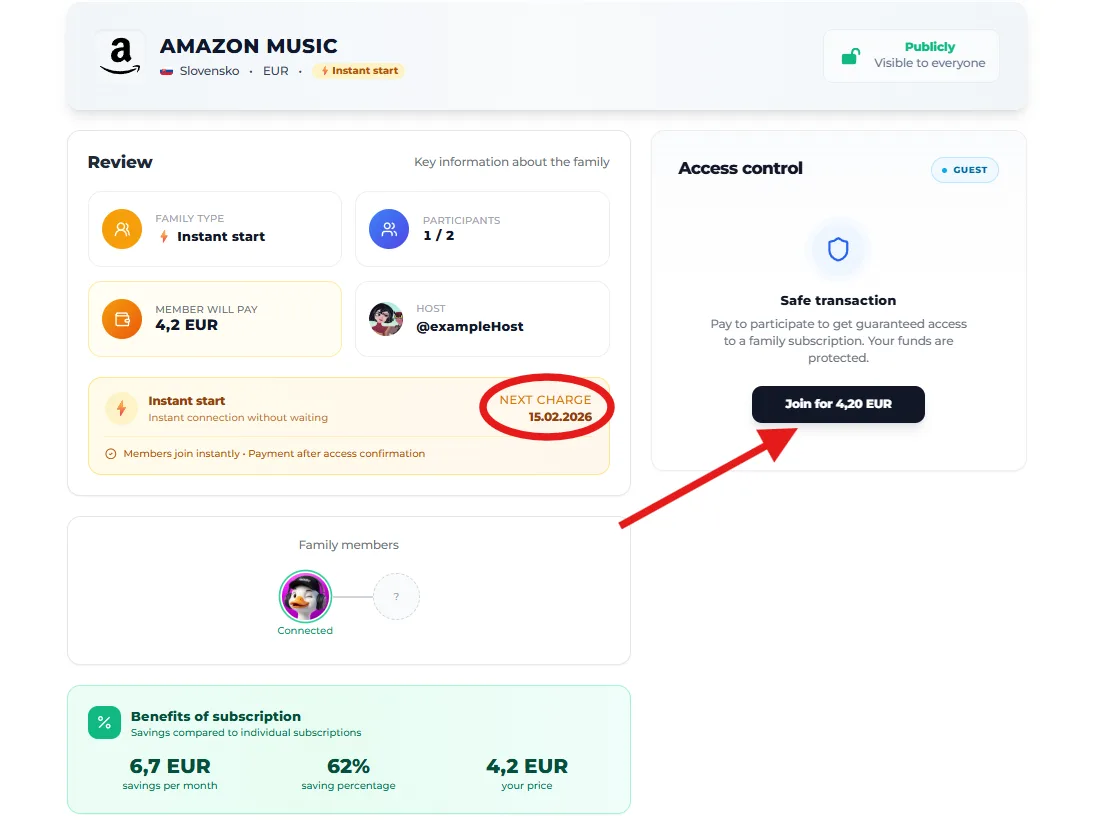
Click the ‘Join’ button. You have 15 minutes to complete your payment. During this period, no one else can claim your spot.
Step 3: Secure payment via Stripe
We use Stripe — the global standard for payment security.
- Enter your card details.
- Confirm the transaction.
- Important: In Standard mode, funds are temporarily held until the entire family group is formed.
Step 4: Get access
Once payment is confirmed, access instructions will appear in the family window. For Apple Family and Google One, you may need to provide your email address before payment.
🛡 Why is SharyDuck safe?
- Secure transaction: The organizer receives your payment only after the 30-day protection period (from family formation or subscription end) to ensure the service functions properly.
- Auto-renewal: Monthly payments are automatically processed, so you never miss a renewal.
- Fraud protection: We rigorously verify every organizer and transaction to prevent fraud.
- Check the country: Ensure your account or VPN matches the family’s country (e.g., the Netflix Turkey family requires a Turkish account).
- Monitor notifications: We’ll notify you via Telegram or email when the organizer updates login details.
- For questions: Contact the organizer directly in the family chat or reach out to our support team.
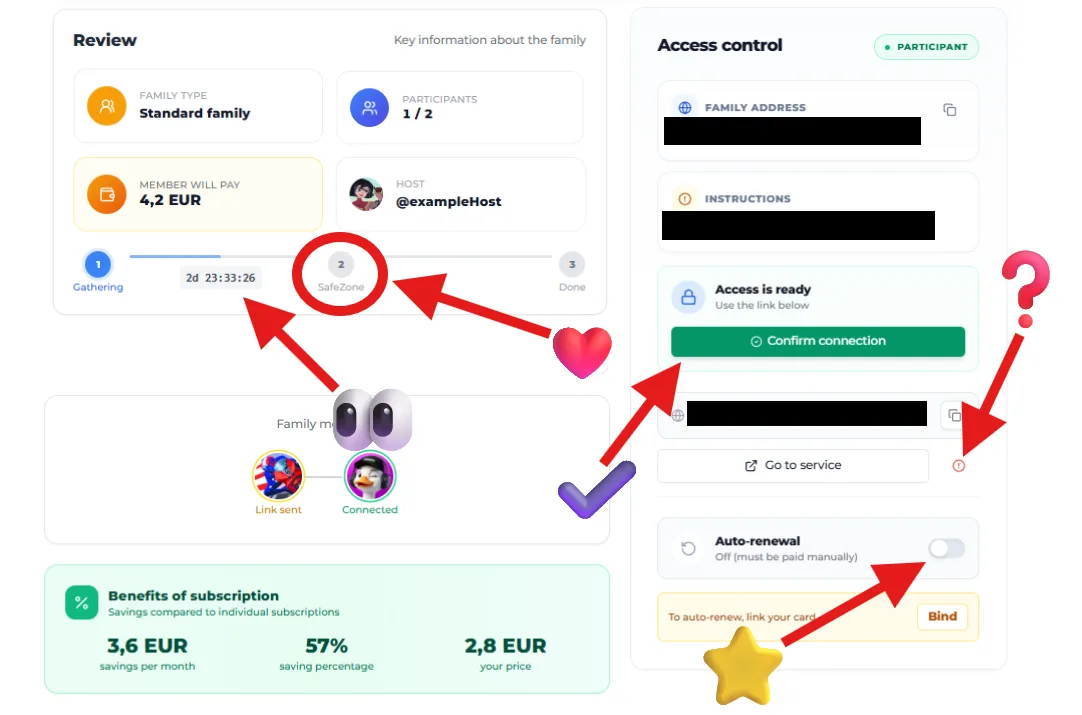
To navigate the Standard Family interface:
- 👀 Time remaining: Shows how long until the family is formed. If the group isn’t completed on time, your funds will be released.
- ❤️ Protection period: Your funds are secure during this period. The organizer receives payment only after you confirm the subscription works.
- ✅ Confirm connection: Tap once you’ve successfully logged in or received a family invitation.
- ❓ I’m having a problem: If issues arise (e.g., incorrect password or no invitation), click to freeze payment and initiate a dispute.
- ⭐ Auto-renewal: Enable this to automatically renew your membership monthly, avoiding the need to search for a new family.
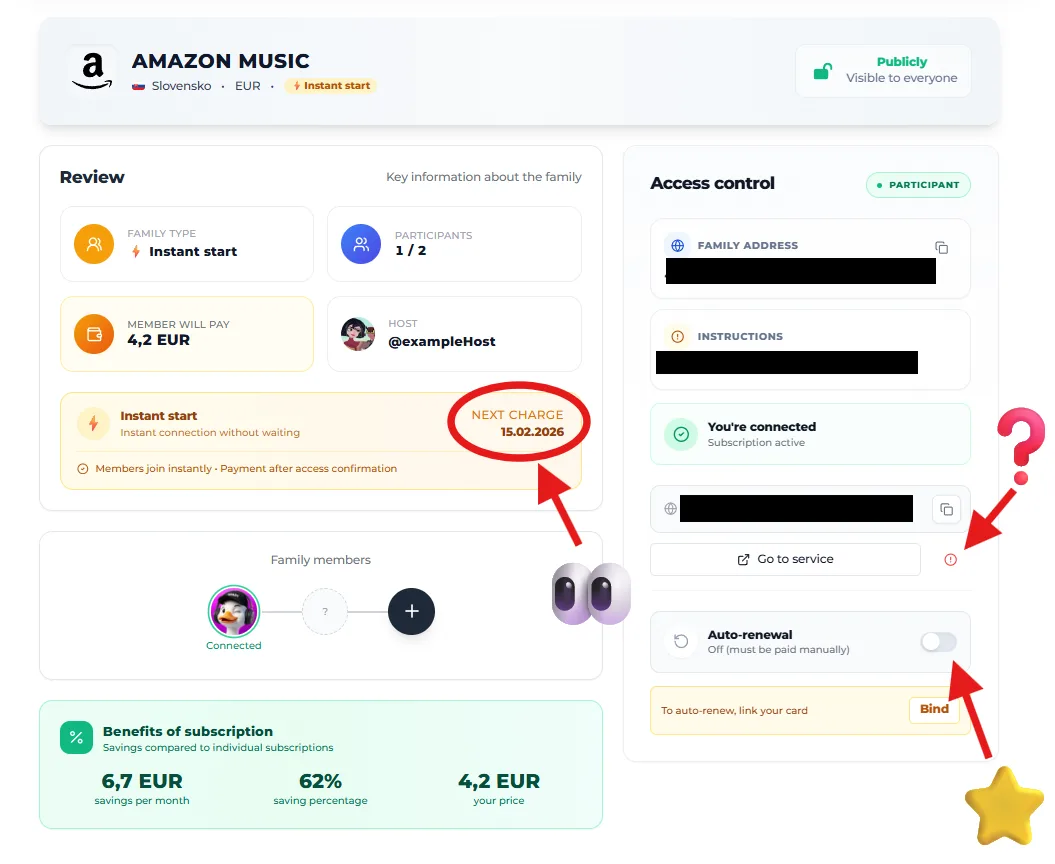
In Turbo plans, the interface is even more streamlined:
- 👀 Due date: Displays the date of the next payment to the organizer. This helps you track your subscription cycle.
- ❓ I have a problem: Your safety net. If you lose access or encounter issues, a single button will immediately alert support.
- ⭐ Auto-renewal: Ensures you won’t lose your place in the active family. Your subscription continues seamlessly.
Enjoy using SharyDuck and make great savings! 🦆✨