Guide for organisers: how to create and manage a family
Become a host on SharyDuck: share subscriptions, automate payments and save money together with other members.
- Save money and earn extra income by sharing premium subscriptions with others.
- Automate payments and access management, eliminating manual tracking and reminders.
- Easily create and customize family groups with step-by-step guidance and public visibility options.
Would you like to use premium services practically for free and even earn some money? Become a host. You create a family group, invite people, and SharyDuck takes care of all the hassle of collecting payments. No more private messages reminding people to pay or manual transfers – everything happens automatically.
This is the holder of a main subscription (such as Netflix, Spotify or Amazon Music) who makes ‘spots’ available to others. Participants pay their share via the platform, and the funds are credited to your account.
Step 1 — Log in to your account
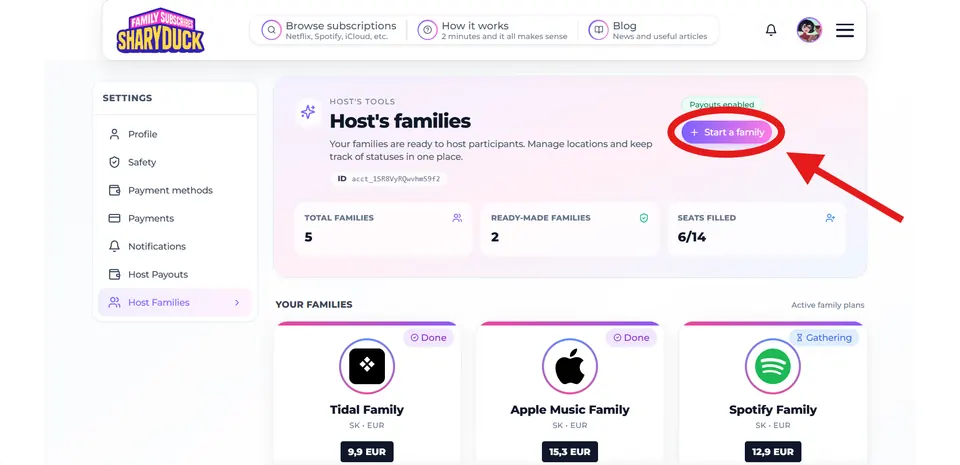
Go to your account and select ‘Host Families’ (My families as an organiser) from the side menu. This page displays all your active groups. To get started, click the ‘Start a family’ button in the top right-hand corner.
Step 2 — Select a service
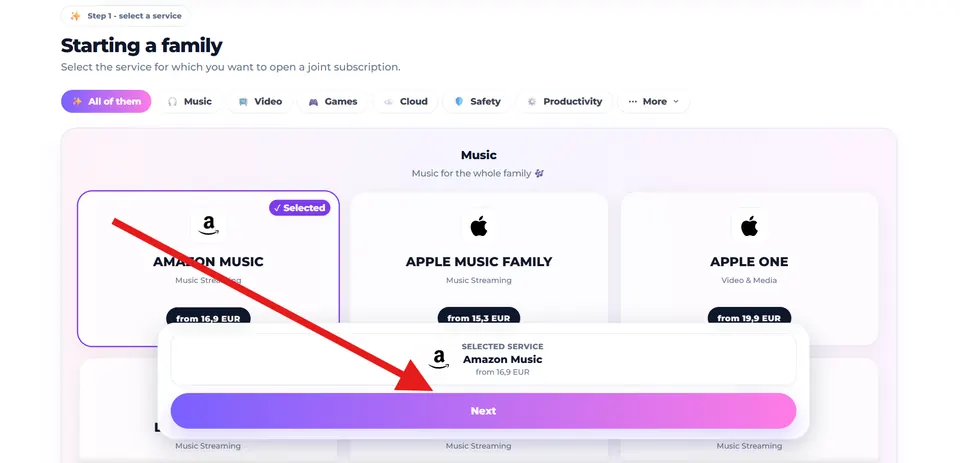
Find the subscription you want in the catalogue. If you have already paid for a service yourself, we recommend starting with that one — that way, you’ll start recouping your costs immediately.
Step 3 — Set the conditions
At this stage, you define the rules of the game.
- Family seats: number of seats (from 1 to 8).
- Seat price mode: fixed price or cost shared among all.
- Public / Private: whether the family will be visible in the general directory.
- Instant start: whether to start the family immediately, without waiting for all seats to be filled.
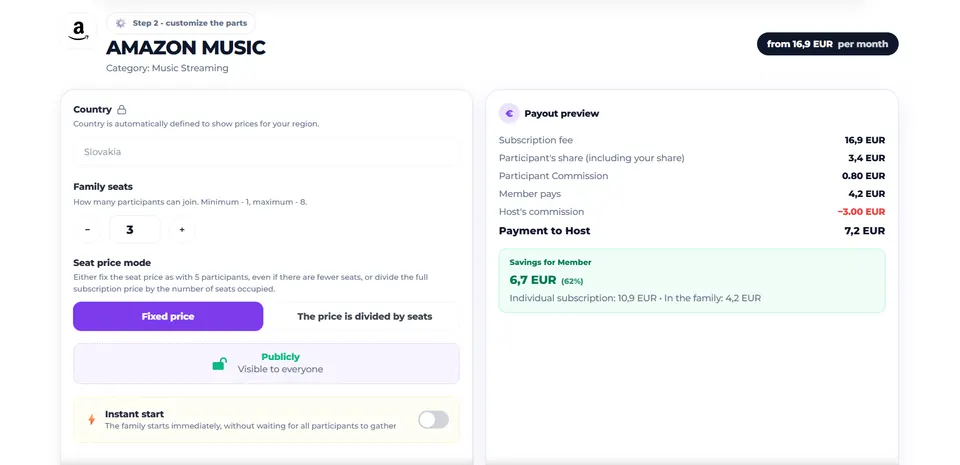
In the right-hand column of the editor, you’ll immediately see ‘Payment to Host’—this is the amount you’ll receive after all fees have been deducted.
Step 4 — Add access details
This is a crucial step. In the ‘Access control’ section, you need to specify the details that participants will receive immediately after payment:
- Family address: a link to join the family.
- Instructions: exactly what the user needs to do.
- Link for participants: a direct invitation link (if provided by the service).
Participants will only see this information once payment has been made. Please provide as much detail as possible to save time when replying in the chat.
Step 5 — Receive your payments
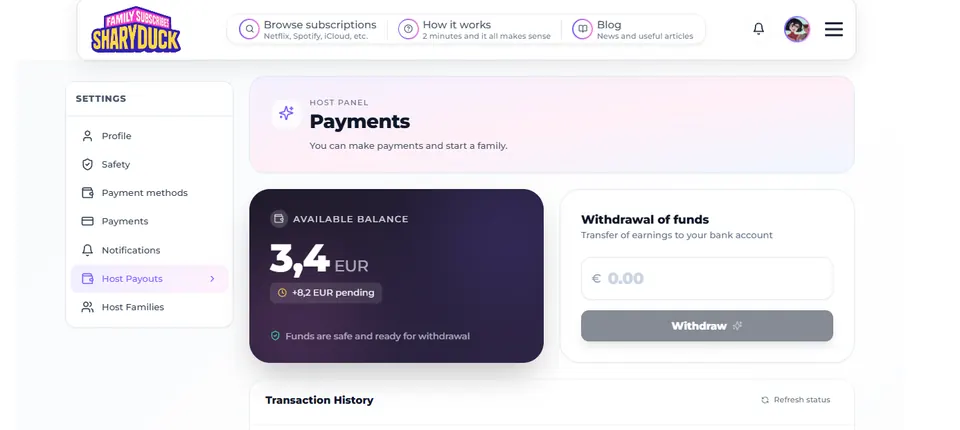
Once the slots are filled, the money will start to appear in your account balance. You can track these payments in the ‘Host Payouts’ section.
Key Points (FAQ)
- Do I have to pay to create a family? No, it’s free. The platform’s commission is already included in the calculations.
- When will I receive the money? After the waiting period (2 to 30 days, depending on the family type).
- What if someone doesn’t pay? The platform will automatically remove the participant and allow a new one to join.
- How can I attract members faster? Select ‘Public’ mode to be listed in the SharyDuck public directory.
Create a family, invite members, and save money together with SharyDuck! 🦆